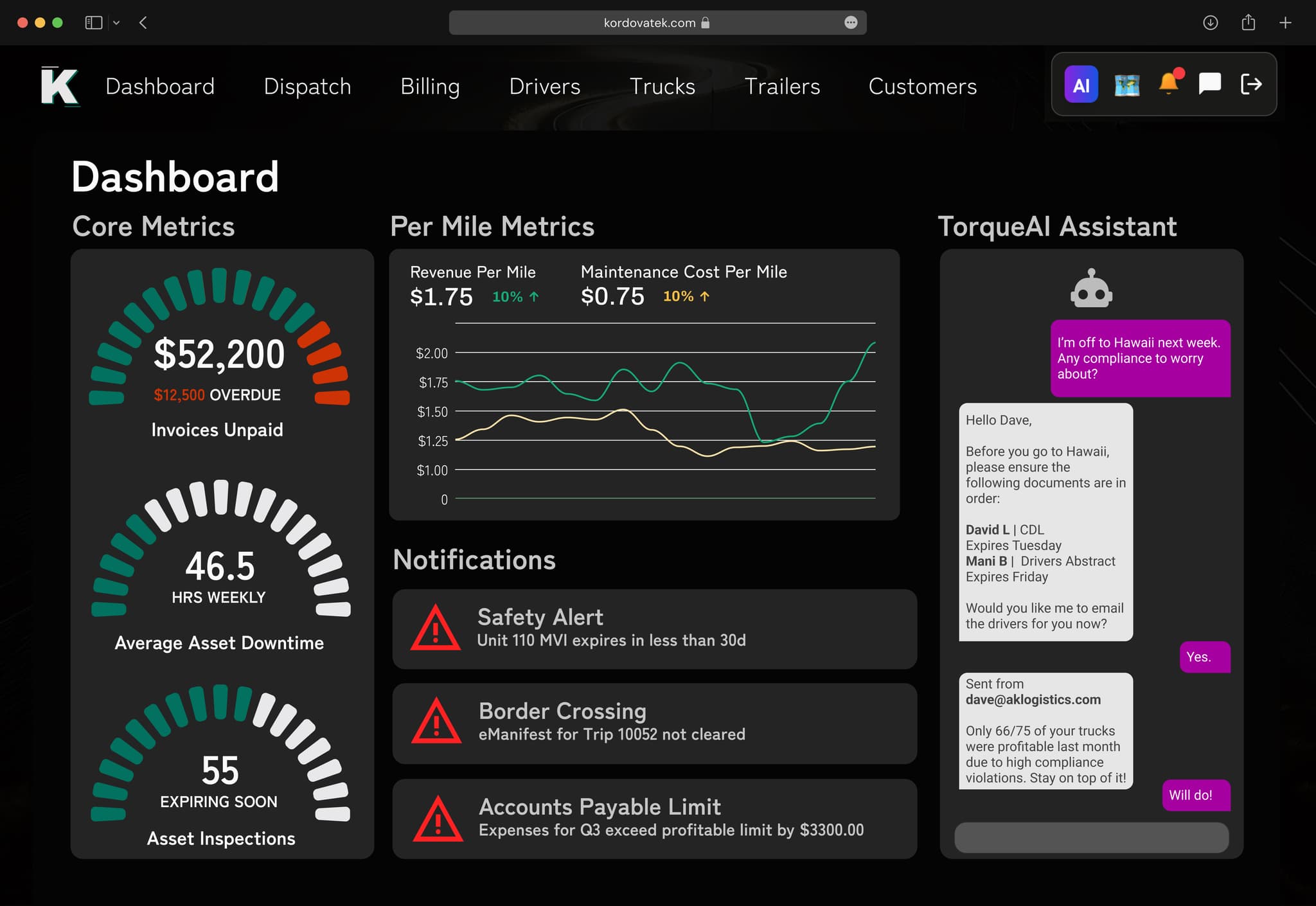
Cross-border trucking software should build your ACE and ACI eManifests from the load you already entered, keep every driver and truck document current, and run both the US and Canadian sides in one system. TorqueAI does that. It connects to BorderConnect for eManifest, tracks compliance documents and expiry dates, and handles dispatch, billing, payroll, and accounting for loads going both ways.
Two countries, twice the paperwork
A cross-border carrier does everything a domestic carrier does, plus a second layer of rules.
Before a truck heads south, someone has to send the ACE eManifest (the electronic manifest US Customs and Border Protection needs before a truck arrives). Heading north, it is the ACI eManifest for the Canada Border Services Agency. Both need the shipment, driver, truck, and trailer details to be right.
At most small cross-border fleets, it goes like this:
- The load is typed into a dispatch sheet.
- The same details are typed again into the eManifest site.
- The customs broker gets the paperwork by email.
- The driver gets the PARS or PAPS number by text. (PARS is the Canadian pre-arrival number. PAPS is the US one.)
- Someone checks, by memory, that the driver's documents and the truck's registration are still valid.
If one number is wrong or one document has expired, the truck sits. The receiver waits. Your customer starts looking at other carriers.
One load, both sides of the border
In TorqueAI, the load is the starting point for everything, including the border.
- The rate con becomes a load. The AI reads the rate confirmation and fills in the load details.
- Dispatch assigns driver, truck, and trailer. You can check the documents and expiry dates for that driver and equipment in TorqueAI before the trip.
- The eManifest is built from the load. Through the BorderConnect integration, the details already in TorqueAI go into the ACE or ACI eManifest. No retyping.
- The driver gets everything in the app. Load details, stops, and notes are in the TorqueAI Driver app. Drivers can message dispatch in the app if something comes up at the crossing.
- The customer stays informed. Tracking links and delay updates go out automatically, so a long crossing does not turn into a dozen phone calls.
- POD, invoice, and pay follow. The driver submits the POD in the app. The invoice is built from the load. The trip lands on the driver's settlement.
Cross-border work, before and after
| Task | Separate tools | TorqueAI |
|---|---|---|
| eManifest | Retype load details into another site | Built from load data via BorderConnect |
| Driver and truck documents | Checked from memory or a sheet | Tracked with expiry dates |
| Driver compliance uploads | Photos sent by text | Guided uploads in the Driver app |
| Border delays | Customer calls asking where the truck is | Automatic tracking links and delay updates |
| HOS data | In the ELD only | ELD data connected to your loads |
| US and Canadian loads | Often split across systems | One system for both |
| Accounting | Re-entered in QuickBooks | Synced to QuickBooks or built-in books |
Rules that change at the line
A few things work differently once a truck crosses. Hours-of-service rules are not the same in the US and Canada, and drivers follow the rules of the country they are in. Our HOS rules cheat sheet for the US and Canada lays out the differences.
For official rules, go to the source: CBSA's eManifest page for Canada, U.S. Customs and Border Protection for ACE, and the FMCSA for US carrier rules.
TorqueAI connects to ELDs like Samsara, Motive, Geotab, and Knight ELD, so hours and location data sit next to the load instead of in another login.
Who this is for, and who it is not for
A good fit:
- Asset-based carriers of 1 to 500+ trucks running Canada–US freight
- Fleets based in trucking hubs like the Lower Mainland in BC, the GTA in Ontario, or Winnipeg, crossing at major ports
- Carriers already using BorderConnect who are tired of typing loads twice
- Fleets doing their first cross-border loads and wanting a clean process from day one
Not a fit:
- A carrier that never crosses the border. You will still get value from dispatch, billing, and payroll, but this page is not your page. See TMS for small trucking companies.
- A business that only needs a customs broker. TorqueAI runs your trucking operation; it does not replace your customs broker.
What switching looks like
- Go-live: Most fleets are up and running within 24 hours. Our team handles setup, data migration, and training.
- Border connected: We connect BorderConnect, your ELD, fuel cards, factoring, and QuickBooks. TorqueAI has 100+ integrations.
- Document check: Driver and truck documents and expiry dates are loaded so you can see what needs attention.
- Support: A team that understands cross-border trucking operations, Mon–Fri 8:30 AM–10 PM ET and Sat 10:30 AM–7 PM ET.
- Your data: Stays yours, with a full export in standard formats. No lock-in. SOC 2 compliant with enterprise-grade encryption.
New to crossing? Start with our guide to your first cross-border load, step by step, then read the full ACE and ACI eManifest guide. To see the whole platform, visit TorqueAI.
Last updated November 6, 2026