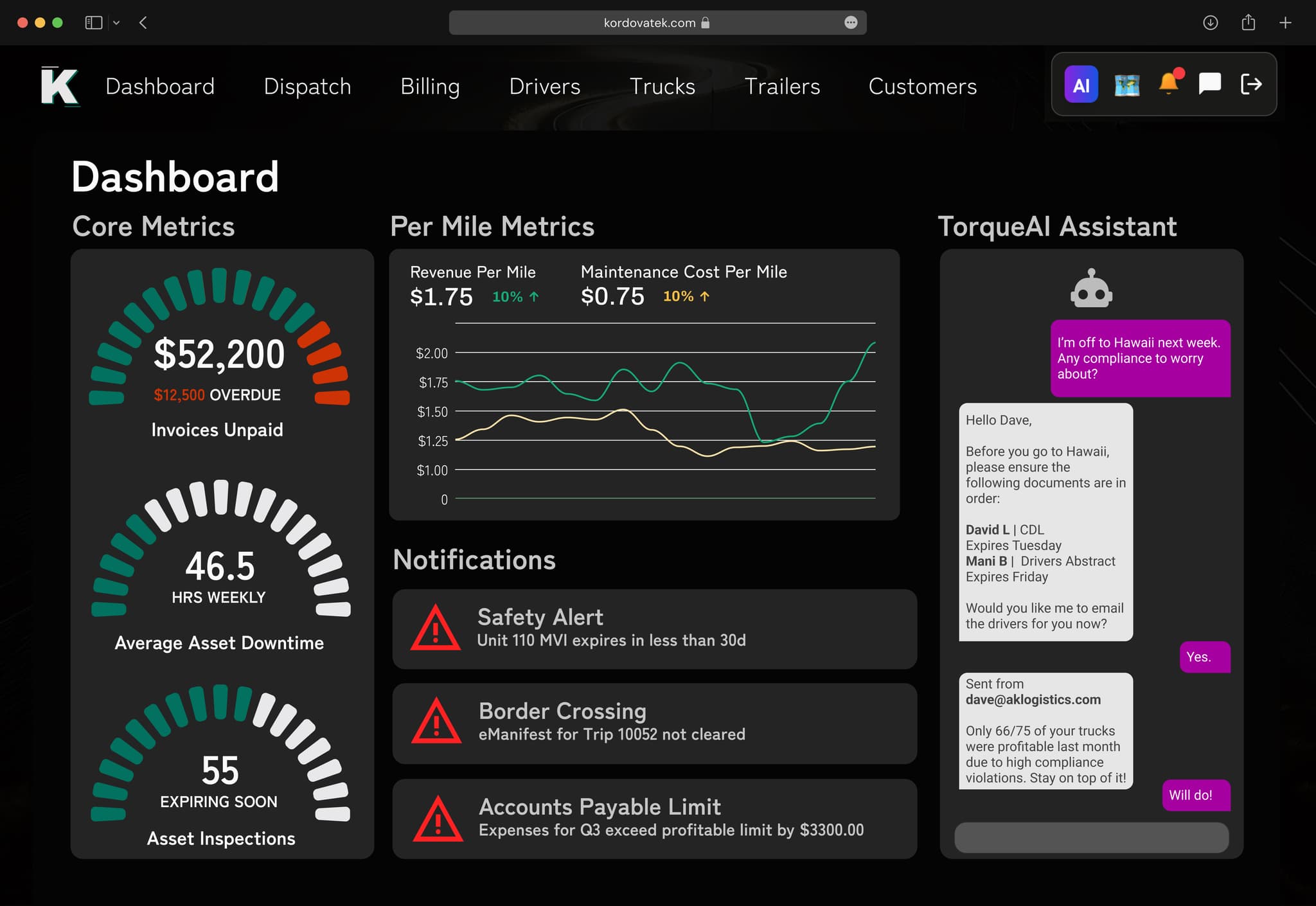
A small trucking company should move to a TMS when the spreadsheet becomes the job. For most carriers that happens past 10–15 trucks. TorqueAI replaces the spreadsheet, the WhatsApp groups, and the double entry into QuickBooks with one system where a load is entered once and everything else follows.
A normal week at a 12-truck carrier
Monday starts with a rate con in your inbox. You type it into the dispatch sheet. You text the driver the pickup number on WhatsApp. You copy the same details into QuickBooks later so you can bill it.
By Wednesday, three drivers have sent POD photos. One is blurry. One is in a group chat with 40 other messages. One driver forgot and is now 600 miles away.
Friday is pay day. You open the sheet, add up miles, look for fuel receipts in your camera roll, and subtract advances by hand. One formula is broken. You find it at 11pm.
None of this is hard. It is just a lot of it, and it all depends on you. When you were at 5 trucks, you could carry it. At 15, things start to fall through the cracks: a load that never got billed, a driver who got paid twice for a lumper, a shipper who stopped calling because nobody sent an update.
What changes when the load is entered once
TorqueAI starts with the load. Here is how one load moves through the system:
- Rate con comes in. The AI reads the rate confirmation and builds the load. You check it, you do not type it.
- Dispatch. You assign a truck and driver. The driver gets the load in the TorqueAI Driver app with stops, times, and notes.
- On the road. The shipper gets a tracking link and delay updates automatically. Nobody has to call you for "where's my truck?"
- Delivery. The app walks the driver through the POD photo before they leave the dock. No chasing.
- Invoice. The invoice is built from the load and the POD. It can go straight to your customer or your factoring company.
- Payroll. The trip shows up on the driver's settlement with miles, expenses, and deductions already filled in.
- Accounting. Revenue and costs sync to QuickBooks Online or Desktop, or stay in TorqueAI's built-in accounting.
You touched that load twice: once to check it, once to dispatch it.
Spreadsheets vs. a TMS, side by side
| Task | Spreadsheets + WhatsApp + QuickBooks | TorqueAI |
|---|---|---|
| Building a load | Type the rate con into the sheet | AI reads the rate con and builds the load |
| Telling the driver | Text on WhatsApp, hope they see it | Load appears in the Driver app |
| Getting the POD | Call, text, wait, ask again | App guides the driver to send it at delivery |
| Invoicing | Copy load into QuickBooks, attach POD | Invoice built from the load, same day |
| Driver pay | Add up miles and receipts every Friday | Settlements fill in from completed loads |
| Profit per truck | Guess, or wait for year-end | Live P&L per load, lane, mile, and truck |
| Customer updates | Phone calls | Automatic tracking links and delay updates |
Looking like a bigger carrier
Bigger carriers win freight because they look organized. Their customers get tracking links. Their invoices arrive the day of delivery with the POD attached. Their dispatchers answer the phone because they are not buried in admin.
A small fleet can do the same things. You just cannot do them by hand at 15 trucks. TorqueAI handles the follow-up work, so your one or two people in the office can act like a team of five.
It also keeps you from losing track of what matters for compliance. Driver and truck documents and their expiry dates live in the system, so a lapsed medical card or registration does not catch you off guard.
Who a TMS is for, and who it is not for
A good fit:
- Asset-based carriers running 5 to 25 trucks in the US, Canada, or both
- Owners who still do dispatch, billing, or payroll themselves
- Fleets that just added trucks and feel the cracks
- Carriers that also broker some freight and want both in one place
Probably not a fit yet:
- A single owner-operator with one truck and one steady customer. A good spreadsheet and an accounting app may be enough for now.
- A fleet that runs only local, same-day loads with no billing or pay complexity.
If you are unsure, read our buyer's checklist for choosing a TMS. It covers the questions to ask any vendor, not just us.
What switching looks like
Switching sounds like a big project. It is not.
- Day one: Our team sets up your account, moves over your trucks, drivers, customers, and open loads, and connects your ELD, fuel cards, and factoring company. TorqueAI has 100+ integrations, including Samsara, Motive, EFS, and RTS.
- Training: We train your dispatchers and walk your drivers through the app.
- Support: Our support team understands trucking and is available Mon–Fri 8:30 AM–10 PM ET and Sat 10:30 AM–7 PM ET. You can reach real people for training, technical help, and regular check-ins.
- Your data: It stays yours. You can export everything in standard formats. No lock-in.
Most fleets are up and running within 24 hours. If you are ready to grow past the spreadsheet, see what TorqueAI does across the whole operation, or read how other carriers handled growing from 10 to 500 trucks.
Last updated November 6, 2026