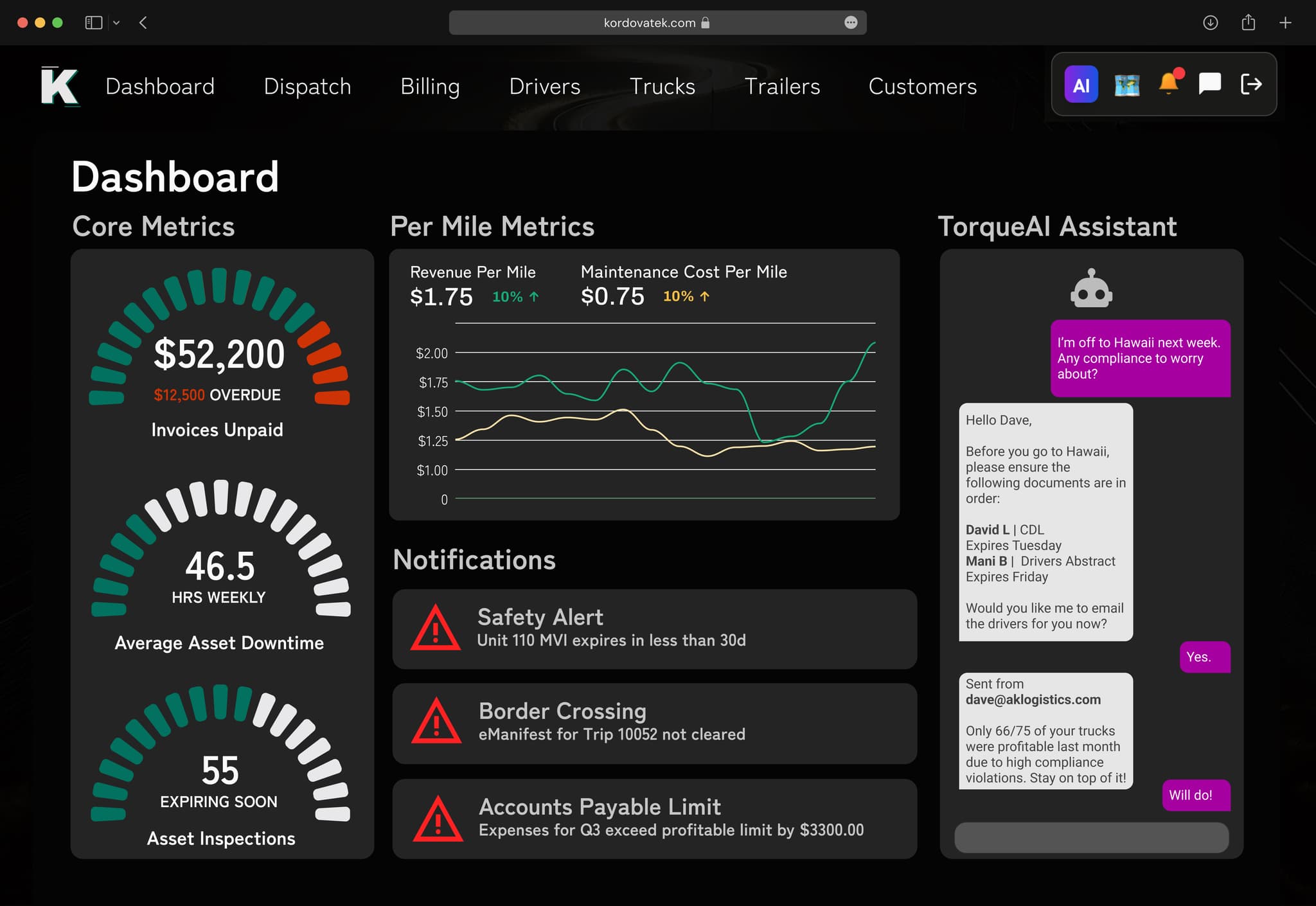
Yes — TorqueAI integrates with Track Pro ELD. Your Track Pro ELD data shows up inside TorqueAI, so dispatch can see where trucks are and how many hours drivers have left without logging into a second system.
What syncs between Track Pro ELD and TorqueAI
| Data | Direction | What it means for you |
|---|---|---|
| Hours of Service and duty status | Track Pro ELD → TorqueAI | See who can legally take the next load before you dispatch it. |
| Live GPS location | Track Pro ELD → TorqueAI | See where every truck is on one map. Fewer check calls. |
| Driver logs and DVIRs | Track Pro ELD → TorqueAI | Logs and inspection reports sit next to the truck and driver records. |
| Miles by state or province | Track Pro ELD → TorqueAI | IFTA miles add up on their own, so quarter-end is less work. |
How setup works
- Share your Track Pro ELD account access with TorqueAI. Our team helps you find the right login or API key.
- Match the trucks and drivers in Track Pro ELD to the ones in TorqueAI.
- Check a few trucks on the map. Once locations and hours look right, you are done.
Why fleets connect Track Pro ELD to TorqueAI
One source of truth — Trucks, drivers, loads, and hours live in one system instead of three browser tabs.
Less typing — Nobody re-enters logs or odometer readings. The data flows in from the ELD.
Fewer surprises — Spot a driver running low on hours or a truck off route early, while you can still fix it.
Related integrations: TT ELD, HOS247 ELD, TruckX ELD
Learn More
Frequently asked questions
Does TorqueAI integrate with Track Pro ELD?
Yes. TorqueAI connects to Track Pro ELD and pulls in truck locations, driver hours, and logs so your team works from one screen.
What data syncs between Track Pro ELD and TorqueAI?
Hours of Service and duty status, live GPS location, driver logs and DVIRs, and miles by state or province for IFTA.
How long does it take to set up Track Pro ELD with TorqueAI?
Setup is usually quick. You share your Track Pro ELD account access, match trucks and drivers, and our team checks the data is coming through.
Do I need to switch from Track Pro ELD to use TorqueAI?
No. Your drivers keep using Track Pro ELD like they do today. TorqueAI just reads the data so you do not have to retype it.
Track Pro ELD
ELD Integration
Connect Track Pro ELD to TorqueAI TMS to see where every truck is, pull driver hours and logs, and get IFTA miles by state without typing anything twice.
How fleets use this with TorqueAI
Transform your freight operations today
With a system built for tomorrow's changing world.